iPhone Users Can Add Passport Info for Faster TSA Checks. (AP Photo)
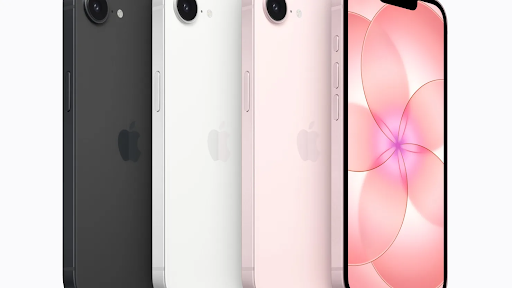
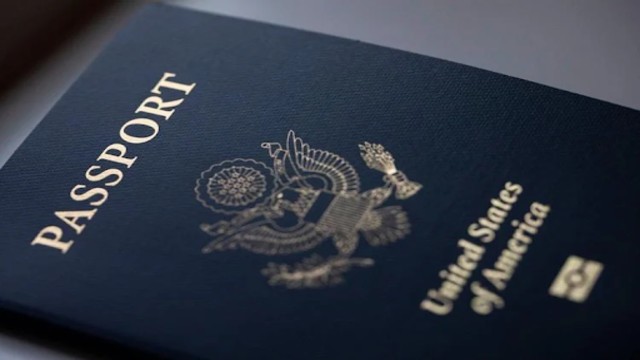
Apple has introduced a new digital feature that allows iPhone users to save their U.S. passport information in Apple Wallet. The rollout arrives just ahead of the busy holiday travel season, offering a quicker way to verify identity at airport security checkpoints.
The new “Digital ID” system enables travelers to scan their passport details directly into the Wallet app. It will be available first in beta at Transportation Security Administration (TSA) checkpoints in more than 250 U.S. airports. The feature is intended for domestic travel and does not replace a physical passport.
Digital ID for Domestic Airport Security
According to the company, the Digital ID can be used at TSA scanners for in-person identity verification. Travelers without a Real ID can present their digital passport information instead.
However, the digital passport cannot be used for international flights or border crossings. A physical passport remains mandatory for all international travel.
Apple already supports digital driver’s licenses and state IDs in 12 states and Puerto Rico. TSA also recognizes mobile IDs in several states, with more expected to join as testing expands.
On its website, the TSA says travelers can “breeze through” hundreds of checkpoints using accepted digital identification.
Setting Up a Passport in Apple Wallet
Adding a passport to the Wallet app involves a step-by-step verification process.
Users must open the Wallet app and tap the plus icon at the top of the screen. From the menu, they can select the Digital ID option. If it doesn’t appear, users can search “Digital ID” within the app.
The setup requires a physical passport. iPhone users must scan the passport’s photo page with the camera. Then they must place the device on the chip inside the back cover to authenticate the digital data.
Identity verification follows. Users must take a selfie and complete simple facial movements such as turning the head or closing the eyes. Once the system confirms the match, the Digital ID appears in Wallet.
Using a Digital ID at TSA
Presenting a digital passport works much like using Apple Wallet for payments.
Travelers double-click the side button to open Wallet, select their Digital ID, and hold the device near a TSA reader. Apple Watch users can follow the same steps.
The reader captures the traveler’s image. The iPhone then displays the information requested by TSA, such as name and date of birth. Users must confirm the data with Face ID or Touch ID before it is shared.
Security and Privacy Measures
Apple emphasizes that passport data is encrypted and stored only on the device. The company states it cannot view when or where the Digital ID is used.
Biometric authentication ensures that only the device owner can release the information. Travelers also do not need to hand over or unlock their phones during the process.
Where Digital IDs Are Accepted
More than a dozen states support some form of mobile ID at airport checkpoints. These include Arizona, California, Colorado, Georgia, Iowa, Maryland, New York, Utah, Virginia, West Virginia, and others, along with Puerto Rico.
Travelers can visit the TSA website for the full, updated list of participating states and airports.