Windows 10 End of Life. Did you take the backup? Photo Credit: HelpDeskGeek
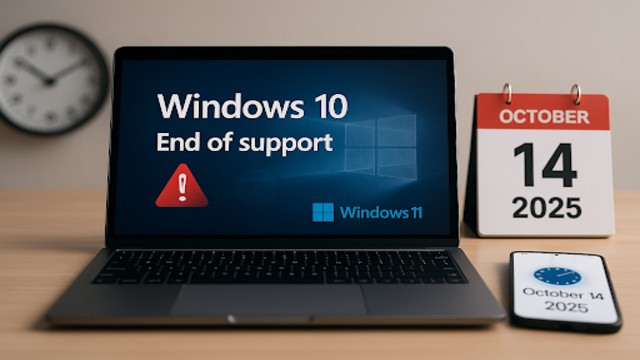
Windows 10 users are running out of time. Microsoft will officially end the update support on October 14, 2025, leaving millions of devices worldwide without future security patches.
The end of support means users must act fast — either upgrade to Windows 11 or subscribe to extended security updates to keep their systems protected for another year.
Microsoft Confirms Media Creation Tool Failure
Just days before support ends, Microsoft confirmed that its Media Creation Tool, a key utility for installing or upgrading Windows, has stopped working properly.
The company announced on October 10 that the program “may not work as expected” when launched on Windows 10 devices. Some users reported that it simply shuts down without showing any error message.
Microsoft said the problem affects the latest version of the tool, released on September 29, 2025. Engineers are currently working on a fix, though no release date has been provided. The company noted that the correction will be part of a future update to the Windows 11 Media Creation Tool.
Limited Options for Windows 10 Users
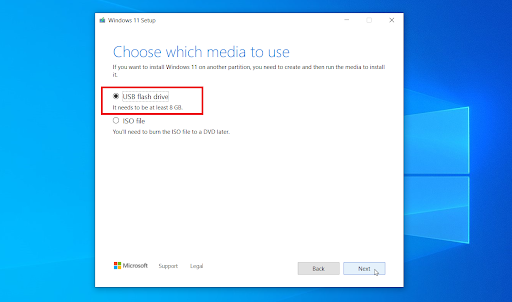
With the Media Creation Tool malfunctioning, users planning to upgrade or reinstall Windows 10 face a dilemma. Microsoft suggests downloading the Windows disk image (ISO) directly from its official website as a temporary workaround.
However, the manual process is less convenient. The ISO file must be transferred to a USB drive using third-party software or burned onto a DVD before installation can begin.
Rufus Emerges as a Reliable Alternative
For those seeking a smoother experience, experts recommend Rufus, an open-source alternative to Microsoft’s Media Creation Tool. Rufus performs the same core function — creating bootable USB drives — but with added flexibility.
The program allows users to download Windows 10 or Windows 11 directly from Microsoft servers and even choose specific versions to install. This feature is particularly helpful for those who prefer older, more stable builds of Windows 11.

Another major advantage of Rufus is its ability to bypass system requirement checks, enabling upgrades on PCs that don’t meet Windows 11’s strict hardware criteria. This makes it a lifeline for many Windows 10 users who cannot afford new devices.
The Clock Is Ticking
With support officially ending, Windows 10 will no longer receive security updates, leaving systems exposed to potential threats and malware. Microsoft recommends creating a full system backup before attempting any upgrade to prevent data loss.
For users with newer hardware, upgrading to Windows 11 remains the best long-term solution. For older machines, subscribing to extended security updates or using Rufus to perform a clean install may offer temporary relief.
The message is clear — the era of Windows 10 is coming to an end. Users who act quickly will keep their devices secure, while those who delay risk being left vulnerable in an increasingly unsafe digital landscape.